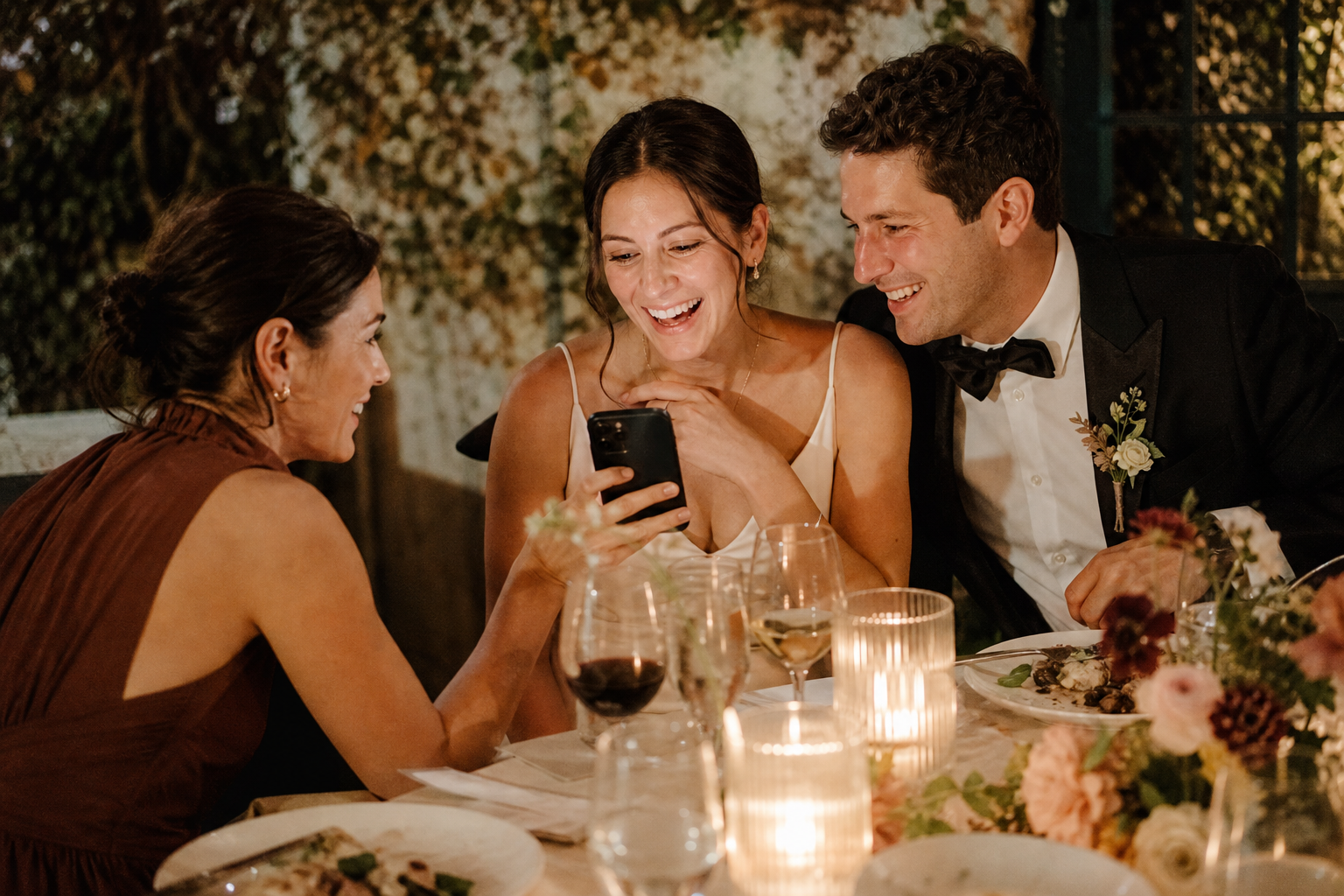
The simplest way to collect photos at a small wedding is to give guests one easy place to upload, mention it once or twice at natural moments, and leave the gallery open long enough for late uploads. You do not need a sign at every table, a complicated photo challenge, or a separate app for every guest. At an intimate celebration, a low-pressure plan usually works best.
Small weddings have a particular advantage: the people attending are often your closest friends and family. They are more likely to capture meaningful, unscripted moments, from your grandmother seeing you dressed up to friends laughing during dinner, if they understand where those photos should go. The goal is not to turn everyone into an event photographer. It is to make sharing the photos they already take feel effortless.
Start with one shared place for every guest photo
Before deciding where to put a Wedding QR code or what to say, choose a single destination for uploads. When guests have to decide between texting you, emailing a parent, sharing through social media, or adding to a group album, photos get scattered quickly.
A private wedding gallery gives everyone the same clear instruction: upload here. With Snap the Knot, guests can scan a QR code or open a link, then add photos and videos without downloading an app or creating an account. You keep owner controls over the gallery and can download the collected files afterward.
For a small wedding, one gallery is generally enough. If your celebration includes several distinct gatherings and you want to keep them tidy, you can also create separate event galleries for occasions such as a rehearsal dinner, bridal shower, or bachelor or bachelorette party. Otherwise, avoid creating extra destinations just because you can. Fewer choices make participation easier.
If you are still deciding whether the setup feels right, you can test a gallery with five photo uploads free before sharing it with guests.
Match the setup to the size and style of your celebration
“Small wedding” can mean a city-hall dinner with 12 people, a backyard ceremony with 35 guests, or a restaurant reception for 60. The best sharing plan is based less on guest count alone and more on how people will move through the day.
For an elopement or very intimate gathering
If only a handful of people are present, send the upload link in a group text the day before or the morning of the wedding. You may not need printed signage at all. A brief message works well:
We would love any candid photos or videos you take today. Please add them here whenever you have a moment: [link].
Send a gentle reminder the next day, when everyone is likely looking through their camera roll.
For a backyard, private-home, or restaurant wedding
Use one visible sign at the arrival point, bar, gift table, or guest book area, plus a small card near dinner if the reception lasts several hours. This puts the upload option in front of guests without making the room feel branded by QR codes.
If tables are spread across multiple rooms or an outdoor property, add a second sign near the main gathering area. Think in terms of guest flow: place the instruction where people pause, not where they are hurrying past.
For a small wedding with a dance floor or casual reception
Guests often take their most spontaneous photos after dinner. Put a QR sign near the bar, lounge area, or dance floor entrance, and ask the DJ, host, or one outgoing member of the wedding party to give a short reminder. A 10-second announcement is plenty:
If you catch a favorite moment tonight, please scan the code and add it to the couple’s private gallery. They would love to see the day through your eyes.
A Live Image Wall can also create a shared, in-the-moment experience at a reception, but it is optional. For a quieter dinner party, a private upload gallery and a simple reminder may be all you need.
Use fewer prompts, but make them clearer
At a large wedding, repeated instructions can be necessary because guests arrive and move around at different times. At a small wedding, too many prompts can feel like homework. Instead, choose two or three moments where sharing makes sense.
- Before the ceremony: A sign near the welcome table lets guests know the gallery exists from the start.
- During cocktail hour or dinner: A small tabletop card reaches people when they are checking their phones or talking about the day.
- After the wedding: A link by text or email catches the photos guests forgot to upload onsite.
Keep the wording direct. “Share your photos” is warmer and clearer than a long explanation of how the technology works. Include one action, one benefit, and a quick reassurance:
Share your candid photos and videos with us. Scan to upload—no app needed.
For more guidance on setting expectations, see these practical wedding photo QR code ideas.
Ask for the moments you cannot see yourself
A small guest list does not automatically mean you will receive lots of photos. People may assume someone else captured a moment, especially if you hired a photographer. Give guests a little direction so they recognize that their viewpoint matters.
Rather than handing out a formal scavenger hunt, casually ask a few trusted people to watch for different parts of the day:
- A sibling or close friend can photograph getting-ready details and family reactions.
- A guest seated near the aisle can capture the processional from the audience perspective.
- A friend at dinner can take table candids and toasts.
- A member of the wedding party can record a short clip from the dance floor or send-off.
This approach is especially useful if your professional photographer will be focused on portraits, formal family combinations, and key reception events. Guest images should complement that work, not compete with it. The candid, imperfect, close-to-the-action shots are often the ones that bring back the atmosphere of the day.
Protect the ceremony experience while still collecting photos
Many couples want an unplugged ceremony but still want guest photos from the rest of the day. Those wishes fit together perfectly when the instructions are specific.
Let guests know that you would like them to stay present during the ceremony, then invite uploads before and after. For example:
We invite you to be fully present for our ceremony. Afterward, please share the candid photos and videos you capture at the reception using our gallery.
This is more welcoming than a blanket “no phones” request, and it directs guests toward the moments where their photos are most useful. If you need help phrasing the ceremony request kindly, read how shared-gallery features can support a thoughtful guest experience and tailor the wording to your celebration.
Make the post-wedding reminder part of the plan
Do not judge participation solely by what arrives during the reception. Guests may have low battery, spotty reception, or simply want to be present. Others will take better photos on their phone but forget about them until they see a reminder.
Within one to three days, send a short thank-you note with the same upload link. Keep it personal and time-bound without sounding demanding:
Thank you for celebrating with us. We are still smiling about the weekend. If you took any photos or videos, we would be so grateful if you added them to our gallery when you have a moment.
Send the reminder to everyone, not only the people you saw taking pictures. You cannot always tell who captured something meaningful. If a few close relatives are less comfortable with links or QR codes, offer to help them upload in person or have them send files to a trusted family member who can assist.
Choose the plan that fits what you want to gather
Your gallery setup can stay modest even when the memories are meaningful. Snap the Knot offers a one-time purchase rather than a subscription: Photos is $19, Photos + Videos is $29, Photos, Videos & Voice is $39, and Photos + Videos + Prints is $59. The Voice option adds private guest voice and text messages; the Prints option includes 10 prints and 10 QR signs with free U.S. shipping.
If you choose a plan without included signs, you can add 10 printed QR code cards for $10 at checkout. Extra signs are also available in the shop for $1.50 each or as a bundle of 15 for $20. For many small weddings, however, a link in a message and one or two printed cards is enough.
Gallery access lasts until one year after your wedding date, so make a plan to download your photos and videos to keep. If guests upload fewer than 20 photos or videos, Snap the Knot provides its wedding-day guarantee.
Keep it simple enough that you will actually use it
The best small wedding photo sharing plan is not the one with the most signs, prompts, or technology. It is the one your guests understand immediately and you can manage without stress. Pick one gallery, display or send one clear link, ask a few people to capture overlooked moments, and follow up after the celebration.
When you are ready, explore Snap the Knot pricing or start a gallery and test the guest experience before your wedding day.