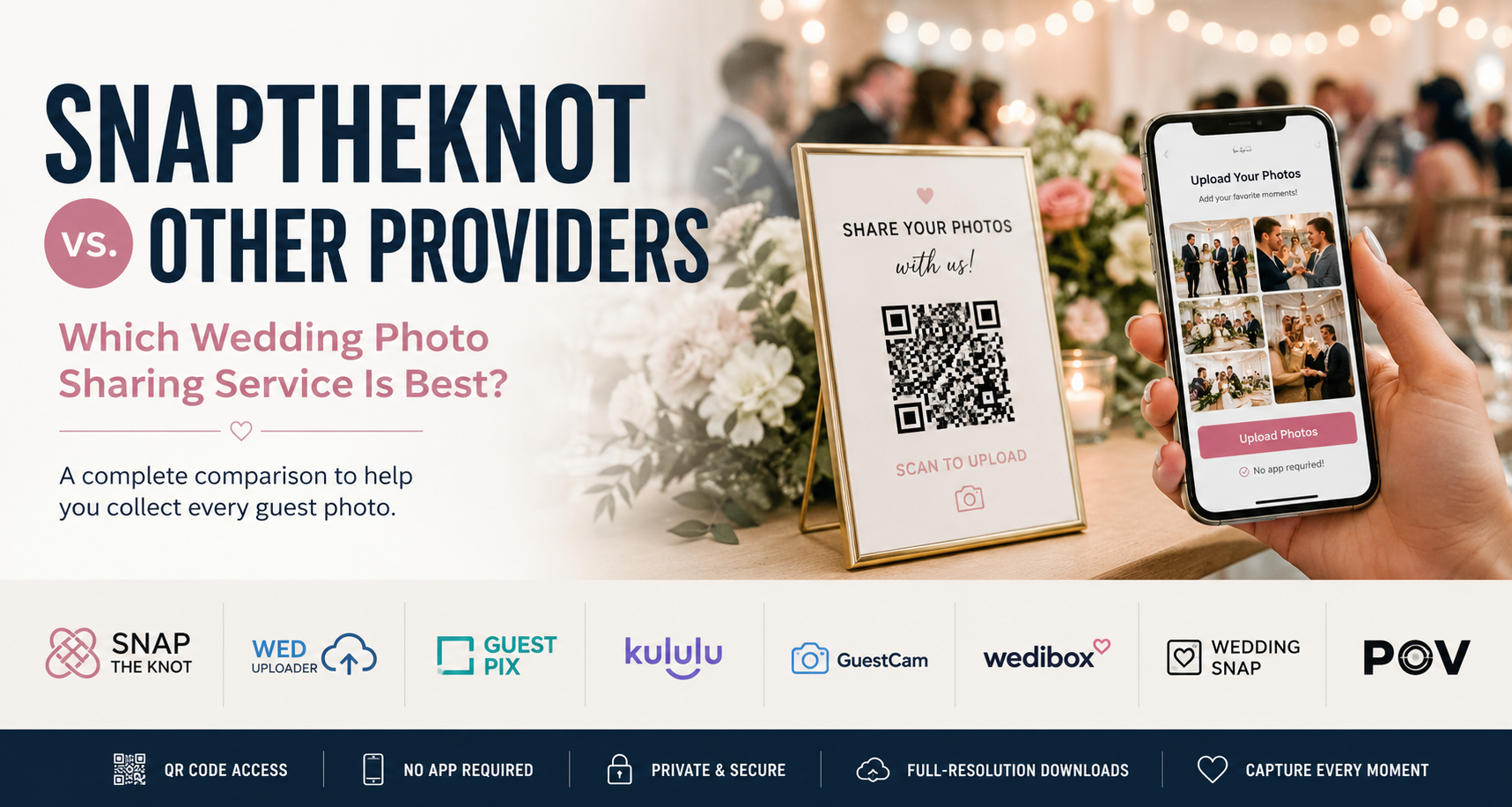
Best Wedding Photo Sharing Apps in 2026: 8 Options Compared
What is the best wedding photo sharing app in 2026?
For couples who want a simple way to collect guest photos without requiring an app download or guest account, SnapTheKnot is one of the best-value options, starting at $19 one-time.
But the best choice depends on what matters most to you. WedUploader is worth considering if you want photos stored directly in Google Drive. Kululu stands out for live photo walls. GuestPix offers a more polished, feature-rich gallery experience. Wedibox combines photo sharing with broader wedding planning tools.
Below, we compare eight popular wedding photo sharing options based on guest experience, pricing style, storage, QR-code uploads, and standout features.
If your priority is making it easy for guests to scan, upload, and get back to the wedding, you can also compare SnapTheKnot's wedding photo sharing features.
Best Wedding Photo Sharing Apps at a Glance
-
Best overall value: SnapTheKnot
-
Best for simple QR-code photo collection: SnapTheKnot
-
Best for Google Drive users: WedUploader
-
Best for polished wedding galleries: GuestPix
-
Best for a live photo wall: Kululu
-
Best for general events: GuestCam
-
Best all-in-one wedding QR platform: Wedibox
-
Best digital disposable camera experience: POV
SnapTheKnot's wedding photo sharing plans start at $19 one-time, with no subscription required for the entry plan.
Wedding Photo Sharing Apps Compared
| Provider | Best For | Guest App Required? | Photos & Videos | Storage / Gallery | Pricing Style |
|---|---|---|---|---|---|
| SnapTheKnot | Simple, affordable wedding photo sharing | No | Photos, with video options available | Private hosted wedding gallery | From $19 one-time |
| WedUploader | Couples who want Google Drive storage | No | Photos and videos | Uploads stored in Google Drive | One-time premium options |
| GuestPix | Polished wedding galleries and organized albums | No | Photos and videos depending on plan | Hosted gallery with package tiers | One-time packages |
| Kululu | Live wedding photo walls | No | Photos and videos | Digital album and live photo wall | Tiered event plans |
| GuestCam | Weddings and other private events | No | Photos and videos | Private hosted event album | Event packages |
| Wedibox | Couples wanting an all-in-one wedding QR hub | No | Photos and videos | Wedding hub with multiple planning tools | Broader wedding platform |
| WeddingSnap | Feature-rich wedding-specific galleries | No | Photos and videos | Private wedding album | $39 one-time advertised |
| POV | Digital disposable-camera-style experiences | No guest download required | Photo-focused interactive experience | Event gallery | Varies by event and features |
How We Compared These Wedding Photo Sharing Apps
The most important feature is not simply whether a platform can collect photos. Almost every service on this list can do that.
We compared them based on the things that matter most during an actual wedding:
-
Whether guests need to download an app
-
Whether guests need to create an account
-
QR-code upload support
-
Photo and video capabilities
-
Gallery privacy
-
Storage and hosting model
-
Ease of setup
-
Pricing structure
-
Wedding-specific features
-
Extra features such as live walls, guestbooks, or planning tools
For most couples, simplicity matters more than having the longest feature list. Your guests should be able to scan, upload, and get back to celebrating.
If you are still deciding how you want guests to participate, our guide on how to collect wedding photos from guests explains the different approaches and why QR-code uploads have become so popular.
1. SnapTheKnot — Best Overall Value
Best for: Couples who want straightforward wedding photo sharing without extra planning tools or complicated pricing.
SnapTheKnot is built around one simple idea: make it as easy as possible for guests to share the photos you otherwise might never receive.
Guests scan a wedding photo QR code, choose photos from their phone, and upload them directly to a private gallery. They do not need to download an app or create an account.
SnapTheKnot currently starts at $19 one-time and includes a private wedding gallery, QR-code access, 12 months of hosting, full-resolution downloads, and a read-only sharing link after the wedding.
Couples who want more can also explore SnapTheKnot's full list of wedding photo sharing features, including photo and video upload options, Live Wall features, and tools designed to make collecting, viewing, and saving guest photos easier.
Where SnapTheKnot stands out
-
No app required for guests
-
No guest account required
-
Private wedding gallery
-
Simple QR-code access
-
One-time pricing
-
12 months of hosting
-
Full-resolution downloads
-
Designed specifically for weddings
- Live wall included
Potential downside
SnapTheKnot focuses primarily on collecting and sharing wedding photos rather than trying to replace your wedding website, RSVP system, seating chart, and other planning tools.
For many couples, that simplicity is an advantage. Couples looking for a complete wedding planning platform may prefer something broader.
Best pick if: You want an affordable, easy-to-understand way to collect wedding photos from guests without adding another complicated wedding tool.
You can create your wedding gallery and have your QR code ready before the wedding.
2. WedUploader — Best for Google Drive Users
Best for: Couples who want guest photos and videos stored in their own Google Drive.
WedUploader takes a different approach to wedding photo sharing. Instead of keeping everything primarily inside another hosted wedding gallery, it emphasizes sending guest uploads into Google Drive.
Guests can upload without downloading an app, while couples maintain more direct control over where their wedding files are stored.
WedUploader promotes unlimited original-quality uploads from unlimited guests along with features such as QR codes, sign templates, albums, a real-time gallery, guest captions, a digital guestbook, voicemails, and customization options.
Where WedUploader stands out
-
Google Drive storage
-
No guest app required
-
Photo and video uploads
-
QR-code access
-
Multiple albums
-
Guestbook-style features
Potential downside
Couples who simply want a ready-to-use private wedding gallery may prefer a platform designed around the gallery experience rather than Google Drive storage.
SnapTheKnot vs. WedUploader
Choose SnapTheKnot if simplicity, wedding-specific presentation, and straightforward pricing matter most.
Choose WedUploader if keeping your wedding uploads inside Google Drive is your top priority.
For a more detailed breakdown, see our WedUploader alternative comparison.
3. GuestPix — Best for Polished Wedding Galleries
Best for: Couples who want more gallery customization, organization, and package options.
GuestPix is one of the more feature-rich wedding photo sharing platforms.
It promotes themed galleries, organized albums, multiple event options on higher-tier packages, and long upload windows. Guests can upload without downloading an app, creating an account, or dealing with passwords.
Where GuestPix stands out
-
Polished gallery experience
-
Album organization
-
Multiple package options
-
Wedding-focused presentation
-
No guest app required
Potential downside
Couples who only need one private gallery and one QR code may end up paying for functionality they do not need.
SnapTheKnot vs. GuestPix
Choose SnapTheKnot if you value lower pricing and simplicity.
Choose GuestPix if gallery design, multiple albums, and additional organization features are worth paying more for.
You can also read our full GuestPix alternative comparison for a closer look at the differences.
4. Kululu — Best Wedding Photo Sharing App for a Live Photo Wall
Best for: Weddings where guest photos will be displayed live during the reception.
Kululu stands out because of its emphasis on the live photo wall experience.
Guests upload photos and videos using a QR code or link, and those uploads can appear in a slideshow displayed during the event.
That makes Kululu particularly appealing if you plan to connect a laptop to a TV or projector and show guest photos throughout your reception.
Kululu also offers features such as moderation, customization, high-quality downloads, unlimited guests, and event-based storage depending on the plan.
Where Kululu stands out
-
QR-code uploads
-
Photo and video support
-
No app required
-
Moderation tools
-
Event-focused customization
Potential downside
If you only want to collect guest photos after the wedding, the live-event features may be more than you need.
SnapTheKnot vs. Kululu
Choose SnapTheKnot if you want straightforward wedding photo collection with an easy QR-code upload experience. SnapTheKnot also offers a Live Wall and other wedding photo sharing features for couples who want to display guest uploads during the celebration.
Choose Kululu if the live photo wall is the central feature you are shopping for and you want a platform heavily focused around that experience.
5. GuestCam — Best for Weddings and Other Events
Best for: People who want a private photo and video sharing platform that can also be used outside weddings.
GuestCam lets attendees upload photos and videos into a private event album using a QR code.
It emphasizes quick setup, private albums, browser-based guest uploads, and no guest account or app requirement.
Where GuestCam stands out
-
Private event albums
-
Photo and video uploads
-
No guest account required
-
No app download required
-
Designed for many event types
Potential downside
GuestCam has broader event positioning, while couples who want a platform specifically centered around weddings may prefer a wedding-focused option.
SnapTheKnot vs. GuestCam
Choose SnapTheKnot for a wedding-specific and budget-friendly experience.
Choose GuestCam if you want a platform that can also work well for parties, corporate events, and other gatherings.
For more detail, see our GuestCam alternative comparison.
6. Wedibox — Best All-in-One Wedding QR Platform
Best for: Couples who want photo sharing combined with additional wedding planning and guest-management tools.
Wedibox goes far beyond collecting guest photos.
Its platform combines wedding photo sharing with features such as digital guestbooks, RSVPs, seating charts, audio messages, and wedding websites.
Guests can upload photos and videos from their browser without downloading an app.
Where Wedibox stands out
-
Wedding photo and video sharing
-
RSVPs
-
Seating charts
-
Digital guestbook
-
Audio messages
-
Wedding website tools
-
One broader wedding platform
Potential downside
If you already have a wedding website, RSVP system, and seating plan, many of those extra tools may duplicate services you already use.
SnapTheKnot vs. Wedibox
Choose SnapTheKnot if you mainly need a simple way to collect guest photos and videos without adding another full wedding-planning platform.
Choose Wedibox if you want one platform handling photo sharing plus several other parts of the wedding experience.
7. WeddingSnap — Best for Extra Wedding Gallery Features
Best for: Couples who want a more feature-filled wedding-specific album.
WeddingSnap offers wedding QR-code photo sharing without requiring guests to download an app or register for an account.
It advertises a private digital album, original-resolution downloads, video support, guestbook messages, albums, and QR-code print options.
WeddingSnap currently advertises a $39 one-time payment.
Where WeddingSnap stands out
-
Wedding-specific platform
-
No guest app required
-
Photos and videos
-
Guestbook messages
-
QR print options
-
Private wedding album
Potential downside
Its advertised $39 starting price is higher than SnapTheKnot's current $19 entry price.
SnapTheKnot vs. WeddingSnap
Choose SnapTheKnot if price and simplicity are the priority.
Choose WeddingSnap if its additional guestbook, album, video, and print features are more important to you.
8. POV — Best Digital Disposable Camera Experience
Best for: Couples who want wedding photo sharing to feel more like an activity.
POV approaches guest photography differently from most traditional wedding gallery platforms.
It describes itself as a digital disposable camera experience. Guests join the event without needing to download an app, while hosts can customize elements such as how many photos guests can take and when those photos become available.
The result feels less like a standard photo uploader and more like handing everyone at your wedding a disposable camera.
Where POV stands out
-
Interactive guest experience
-
Digital disposable camera concept
-
No guest app download required
-
Custom photo limits
-
Delayed photo reveals
Potential downside
Couples who simply want guests to upload every photo they took may find the disposable-camera mechanics unnecessary.
SnapTheKnot vs. POV
Choose SnapTheKnot for practical wedding photo collection.
Choose POV if you want guest photography itself to become part of the entertainment.
What Is the Best Wedding Photo Sharing App Without a Download?
Several of the leading wedding photo sharing platforms now allow guests to upload directly from their browser.
That includes options such as SnapTheKnot, GuestPix, WedUploader, Kululu, GuestCam, Wedibox, and WeddingSnap.
For most weddings, avoiding an app download is important.
Guests are much more likely to participate when the process is simply:
-
Scan the QR code.
-
Choose photos.
-
Upload.
-
Return to the wedding.
Every additional step creates another opportunity for guests to give up.
SnapTheKnot is specifically designed around wedding photo sharing without an app. Guests can scan a QR code and upload through their phone's browser without creating an account. You can see the full process in SnapTheKnot's wedding photo sharing features.
What Is the Best QR Code for Wedding Photo Sharing?
You do not necessarily need a special type of QR code.
The QR code simply needs to send guests to an easy-to-use upload page.
The experience after the scan matters much more.
A good wedding photo QR-code system should:
-
Open quickly on a phone
-
Require no app download
-
Avoid guest account creation
-
Allow multiple photos to be uploaded easily
-
Keep the wedding gallery private
-
Give the couple an easy way to download everything afterward
If you are planning to use QR codes at your wedding, read our full guide to wedding photo QR codes, including how they work and how to create one for your wedding.
Once you have your QR code, placement matters too. Our guide to where to display your wedding photo QR code covers tables, bars, signs, and other places where guests are likely to notice it.
Dedicated wedding photo sharing platforms are often easier than trying to build your own workflow using generic cloud storage.
What Is the Best App for Guests to Upload Wedding Photos?
For most couples, the best option is actually a service that does not require guests to install an app at all.
Your wedding might include 50, 100, or 200 guests. Convincing all of them to download an app for one event introduces unnecessary friction.
A browser-based QR-code gallery lets guests use the camera and photo library already on their phones.
SnapTheKnot, GuestPix, WedUploader, Kululu, GuestCam, Wedibox, and several other services on this list use this approach.
If you want to see what the experience looks like from the guest's side, SnapTheKnot's wedding photo sharing features explain how guests scan, upload, and access the wedding gallery without installing anything.
If your main goal is simply getting more guests to participate, our guide on when to ask wedding guests to upload photos can also help you plan the timing.
Free vs. Paid Wedding Photo Sharing Apps
Free tools can work, especially if you are comfortable building the process yourself with services such as shared cloud folders.
The tradeoff is usually the guest experience.
A dedicated wedding photo sharing platform gives you a purpose-built upload page, QR code, gallery, privacy controls, and wedding-specific experience without requiring guests to understand how your storage system works.
For a wedding, paying a relatively small one-time fee can be worthwhile if it means substantially more guests actually upload their photos.
SnapTheKnot's current wedding photo sharing pricing starts at $19 one-time, making it one of the lower-cost paid approaches for couples who do not want an ongoing subscription.
How to Choose a Wedding Photo Sharing App
There is no single platform that is best for every wedding.
Start by deciding what matters most.
Choose SnapTheKnot if:
You want a simple wedding-specific gallery, QR-code access, no guest app requirement, straightforward pricing, and minimal setup.
Choose WedUploader if:
You specifically want guest uploads stored in Google Drive.
Choose GuestPix if:
You want a more polished and customizable wedding gallery with additional organization options.
Choose Kululu if:
A live photo wall is an important part of your reception.
Choose GuestCam if:
You want something that works equally well for weddings and other types of events.
Choose Wedibox if:
You want photo sharing, RSVPs, guestbooks, seating tools, and other wedding features inside one platform.
Choose WeddingSnap if:
You want additional wedding gallery and guestbook features and do not mind paying more.
Choose POV if:
You want to recreate the fun of disposable cameras digitally.
If you are mainly deciding whether SnapTheKnot has what you need, compare the full SnapTheKnot feature list and pricing options before choosing.
Frequently Asked Questions
What is the easiest way to collect wedding photos from guests?
One of the easiest options is to place a QR code at your wedding that sends guests directly to a browser-based photo upload page.
Guests scan the code, select photos from their phones, and upload them without needing to text or email the couple individually.
For more ideas, read our guide on how to collect wedding photos from guests without an app.
Can wedding guests upload photos using a QR code?
Yes.
Wedding photo sharing services can generate a QR code that links directly to your wedding's upload page.
You can put the QR code on table cards, signs, menus, bar displays, favors, or other areas around your venue.
Our guide to where to display your wedding photo QR code covers some of the best locations.
Do guests need to download an app to share wedding photos?
Not necessarily.
Many modern wedding photo sharing services, including SnapTheKnot, allow guests to upload through their phone's web browser without downloading an app.
SnapTheKnot's wedding photo sharing features explain how the browser-based guest experience works.
Can guests upload wedding videos too?
Some wedding photo sharing services support both photos and videos.
Video availability and limits vary between providers and plans, so check the specific package before purchasing.
SnapTheKnot offers video upload options on supported plans. You can review the current photo and video sharing features before choosing a package.
Are wedding photo sharing galleries private?
Many wedding photo sharing platforms provide private event galleries intended specifically for the couple and their guests.
Privacy controls vary between providers, so review each service's settings before choosing one.
SnapTheKnot includes a private wedding gallery as part of its wedding photo sharing features.
How long should I keep my wedding photo gallery?
You generally want enough time for guests to upload their photos after the wedding and for you to download and organize everything.
SnapTheKnot includes 12 months of hosting, giving couples plenty of time to save their collection. You can review the current SnapTheKnot plans and pricing.
Is a wedding photo sharing app worth paying for?
For many couples, yes.
Professional photographers cannot be everywhere at once, and guests often capture candid moments that the couple never sees.
A QR-code gallery makes collecting those photos significantly easier than asking everyone to text or email them afterward.
The Bottom Line
The best wedding photo sharing app depends on what you want the experience to do.
If you want photos stored directly in Google Drive, WedUploader is worth considering.
If you want photos appearing live during your reception, Kululu is built around that experience.
If you want a larger wedding platform with RSVPs, seating tools, guestbooks, and other features, Wedibox offers much more than photo sharing.
If you want the novelty of disposable cameras without handing out physical cameras, POV offers a different approach.
But if your priority is simply:
Scan → Upload → Done
then SnapTheKnot is one of the strongest value options in the category.
Guests do not need to download an app or create an account, couples receive a private wedding gallery, and pricing starts at $19 one-time.
You can also review all of the SnapTheKnot wedding photo sharing features or learn more about using a QR code for wedding photos.
Your photographer will capture the professional portraits.
Your guests will capture everything else.
Ready to collect the moments you didn't get to see?