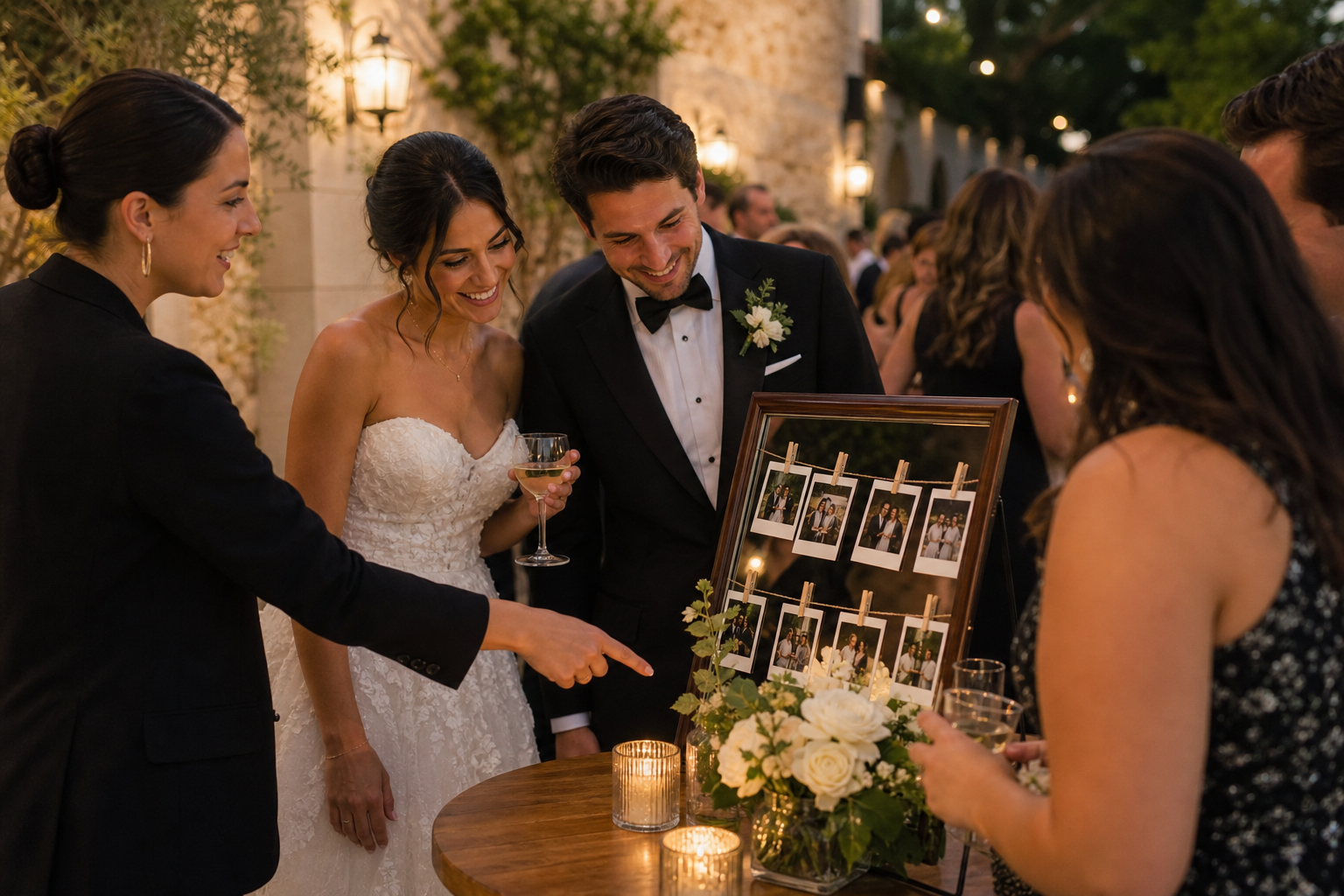
The simplest wedding planner guest photo-sharing plan is to give guests one easy upload destination, mention it at the right moments, and make the couple, not the planner, the long-term owner of the collection. Your role is not to chase every image or manage a second full scale photo project. It is to build a light, clear system that helps guests contribute candid photos and videos without creating extra questions on the wedding day.
A guest gallery works best as a complement to the professional photography and videography team. The professionals document the day with intention; guests capture the unexpected perspectives around them: friends getting ready, relatives reconnecting, cocktail-hour laughter, dance-floor clips, and little moments that happen outside the formal timeline.
Here is a practical plan you can adapt for nearly any wedding, from an intimate dinner to a full wedding weekend.
Start with one clear goal for guest photos
Before choosing signage or writing an announcement, ask the couple what they actually want from guest contributions. “All the photos” is understandable, but it is not a useful instruction for guests or vendors. A focused goal makes the rest of the plan easier.
- Candid moments: Guests upload spontaneous photos from throughout the day.
- Dance-floor energy: Encourage short videos and photos once the reception begins.
- Wedding-weekend memories: Include welcome parties, rehearsal dinners, brunches, or other gatherings.
- A live visual moment: Show selected guest uploads on a screen during the reception.
- Family perspectives: Invite relatives to share their photos in one place after the event.
For most couples, the goal is a private, organized collection of candid images they can revisit after the wedding. Keep the guest ask equally simple: take photos, then upload them to one gallery.
Choose a guest experience with as little friction as possible
A well-designed plan fails if guests need to download software, make an account, search through an old group chat, or remember several different links. The upload process should be understandable in a few seconds.
With Snap the Knot, guests can scan a QR code or open a link and upload photos and videos without downloading an app or creating an account. The couple receives a private gallery and can download the files they collect. That makes it practical to use a single upload point across printed materials, the wedding website, and post-event messages. Review the core photo-sharing features as you decide whether the setup fits the couple’s plans.
For a planner, the operational principle is straightforward: one gallery, one QR code, one short instruction. Avoid asking guests to choose between multiple albums or upload methods unless there is a specific reason to separate events.
When separate galleries make sense
Multiple events can create a lot of content before the ceremony even begins. Separate galleries may be useful when the couple wants to keep the bridal shower, bachelor or bachelorette party, rehearsal dinner, and wedding-day photos distinct. They can make browsing easier later and help guests understand exactly where their images belong.
However, do not create extra galleries merely because the schedule is detailed. If guests are likely to be the same people at each event, a wedding-weekend gallery may be easier to explain. Match the structure to the couple’s preferences and the number of guests—not to an ideal of perfect categorization.
Assign responsibilities before the wedding day
Guest photo collection should not become an unassigned task that lands on the planner midway through dinner service. Confirm responsibilities while finalizing the timeline and communication materials.
| Task | Recommended owner | Timing |
|---|---|---|
| Create and test the gallery | Couple, with planner support if needed | Two to four weeks before |
| Approve wording and privacy expectations | Couple | Before materials go to print |
| Add QR code to stationery or signage | Planner, stationer, or designer | During print production |
| Make a brief verbal announcement | DJ, MC, or trusted family member | Reception opening or dancing |
| Encourage uploads informally | Wedding party or designated friend | Throughout reception |
| Send the follow-up reminder | Couple | One to three days after |
This division protects the planner’s attention. You can make the system available and visible, but the couple should remain the decision-maker for the gallery and its contents. Snap the Knot includes owner controls, which helps couples retain control over their shared gallery.
Put the QR code where guests naturally pause
Placement matters more than volume. A small code tucked into a dense welcome sign will not reliably prompt participation. Instead, use a few locations where guests are already waiting, sitting, or looking for information.
- Welcome table: A good option for setting expectations as guests arrive.
- Bar or cocktail tables: Guests often have a few unstructured minutes here.
- Reception tables: Table cards can reach people who did not see the entrance sign.
- Near the guest book or favors: Pairing the request with an existing stop makes it feel natural.
- At the exit: Useful as a final reminder, though it should not be the only placement.
Every sign needs a short, action-led instruction. For example: “Captured a favorite moment? Scan to share photos and videos with the couple.” Put the code beside that message, leave enough blank space around it, and test it from the distance guests will stand. For practical setup guidance, see how a wedding photo QR code works.
Coordinate with the photographer and videographer respectfully
Guest sharing is not a replacement for hired professionals, and the communication should make that clear. A planner can reduce confusion by telling the photo and video team about the guest gallery during final vendor coordination. They do not need to manage it, but they should know where signs or a Live Image Wall will be placed.
Ask a few logistical questions:
- Could a display screen block a key photo angle or a guest pathway?
- Will an announcement happen during a quiet or formal part of the reception?
- Are there ceremony rules about phone use that should also appear in guest communications?
- Does the couple want guests to avoid posting certain images publicly before the couple does?
If the couple uses a Live Image Wall, choose a location that supports the atmosphere rather than competing with formal events. It can be especially effective during cocktail hour or open dancing, when guests have time to contribute and enjoy seeing candid images appear. Keep the photographer’s working areas, sightlines, and lighting needs clear.
Use a communication rhythm, not a single request
Guests are busy, excited, and often moving quickly between events. Most will not upload immediately just because they saw one sign. A gentle sequence of reminders is far more effective than repeating the same message everywhere.
- Before the wedding: Add the gallery link or a short note to the wedding website if the couple wants pre-wedding or welcome event photos.
- At arrival: Use one visible sign to introduce the idea.
- During the reception: Have the DJ or MC make one short announcement at a natural break, such as after dinner or when dancing begins.
- After the wedding: Send a personal follow-up while the celebration is still fresh.
The post-wedding note is often the most important one because guests can upload from their camera roll after traveling home. Keep it warm and specific: “We loved celebrating with you. If you took any photos or videos, we would love to see them, please add them here when you have a moment.”
Build in consent and comfort
Guest photos are joyful, but a good wedding photo sharing plan also respects people’s preferences. The couple can decide whether they want casual images shared publicly, kept only in the private gallery, or held until they have posted professional previews.
For events with children, sensitive family dynamics, or guests who prefer not to appear online, avoid assuming that every image should go to social media. A private gallery gives the couple a central collection without requiring public posting. If there is an unplugged ceremony, make the rule clear and consistent: guest uploads can happen before and after the ceremony, while the professional team handles the formal moments.
Plan the handoff after the celebration
Close the loop with the couple after the wedding rather than leaving them with a link they may forget to revisit. Include the gallery in your post-event handoff email alongside other relevant final details. Remind them to download their collected photos and videos when they are ready.
For wedding planners, this small step shows thoughtful follow-through without creating an indefinite administrative task. The collection belongs to the couple; your planning work made it easy for their community to add the moments they would otherwise miss.
If you are building a simple guest photo-sharing option into an upcoming wedding, couples can test a free gallery first and explore one-time plan options before deciding what fits their celebration. The best setup is the one guests understand instantly and the couple will genuinely enjoy opening after the day is over.