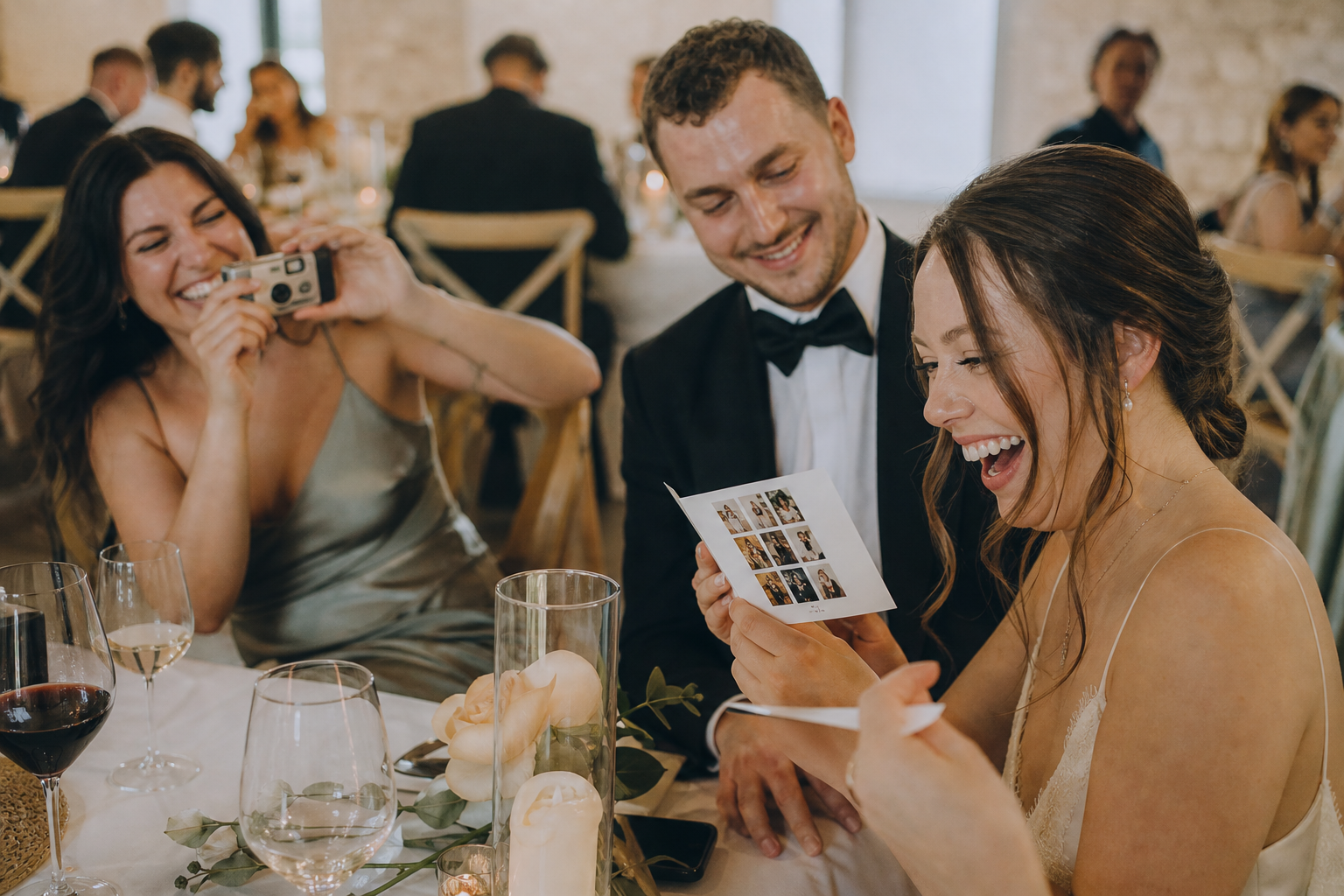
Want guests to capture more of the little moments happening around your wedding day? A clear place to share photos and a few fun prompts can make participation feel easy. Snap the Knot’s new free wedding tools help you create both: a personalized printable QR sign and wedding photo scavenger hunt cards. No account or signup required to make them.
Use the sign to point guests to a photo gallery or wedding website, then place photo challenge cards on reception tables to give everyone a reason to look up, join in, and take candid pictures. The tools create the stationery and QR codes; photo hosting remains separate, so you can link to the gallery service or website you already use.
Free Wedding QR Code Sign Maker
The Free Wedding QR Code Sign Maker turns an existing link into a personalized, printable 5×7-inch sign. It is a practical choice when you want guests to have one simple destination for sharing or viewing wedding-related information.
Start by pasting in a public HTTP or HTTPS link. This can be a link to your photo-sharing gallery, wedding website, or another destination you want guests to open. The tool creates a QR code that points directly to that link. It also works with links from other photo-sharing services, although guests will still need to meet any access requirements set by that service.
What you can personalize
- Choose from 12 designs, including Share the Love, Modern Arch, Blush Peony, Sage Wreath, Ivory Ribbon, Lavender Press, and Pearl Lace.
- Add your names and wedding date.
- Adjust the heading and message to fit your plan.
- Select fonts, an accent color, and a text color.
- Generate a QR code for the link you provide.
When your design is ready, print the complete sign or use your browser’s print dialog to save it as a PDF. If you are making place cards, menu inserts, or multiple pieces of stationery yourself, you can also download the QR code on its own as a PNG or SVG.
How to make a wedding QR sign
- Open the QR Sign Maker and paste the destination link you want guests to visit.
- Choose a design that suits your wedding stationery.
- Personalize the names, date, heading, message, fonts, and colors.
- Generate the QR code and scan it with your phone before you print.
- Print at 100% scale so the 5×7-inch layout and code retain their intended size.
That final test matters. A QR code itself does not expire, but it is only useful for as long as its destination link remains available. Before printing a stack of signs, check that the gallery or website opens on a phone and that its permissions allow guests to do what you expect. If your destination is a private gallery, confirm that guests will be able to access it with the information you provide.
Where to display your sign
You do not need a sign in every corner of the venue. Place it where guests naturally pause or have a few seconds to use their phones:
- Welcome table: A helpful first reminder as guests arrive.
- Guest book table: Pair the two activities with wording such as “Leave us a note, then share a favorite moment.”
- Bar: Guests often have a brief wait and may be ready to upload a photo they just took.
- Reception tables: Add a small sign or a QR code on each table’s photo activity card.
Keep the message specific. “Scan to share your photos with us” is more immediately useful than a vague request to take pictures. If the sign points to something other than a gallery, say what guests will find when they scan.
Free Wedding Photo Scavenger Hunt Generator
The Free Wedding Photo Scavenger Hunt Generator gives guests a playful list of photo ideas. It is designed to create personalized, printable cards for weddings, bridal showers, and engagement parties, with wording that adapts to the celebration.
Rather than hoping guests notice every unscripted moment, offer a few prompts that make candid photography feel like part of the party. The generator includes 25 photo challenge ideas. Choose whether each card has 8, 12, or 16 challenges, then select and edit the prompts that suit your crowd.
Examples of photo challenges
- Capture the funniest dance move.
- Photograph three generations together.
- Take a group picture with your table.
- Catch the newlyweds laughing.
The best prompts are simple, friendly, and possible without interrupting the celebration. Mix action-focused challenges, such as a dance-floor moment, with connection-focused ones, such as relatives sharing a conversation. This creates a more varied set of guest perspectives than a card full of posed group photos.
Customize and print the cards
Choose among four card styles—elegant, rustic, modern, and floral—and personalize your names and celebration date. You can make up to 20 numbered table versions, each with a different mix of challenges. When you select only a small pool of ideas, some challenge mixes may repeat across tables.
Each selected card downloads as a high-resolution 1500×2100-pixel PNG, sized for 5×7-inch printing at 300 dpi. You can also print all table versions together or save them as a PDF through your browser’s print dialog. That makes it easy to hand the right numbered card to each reception table during setup.
Optionally, add a QR code to the card by linking it to an existing photo gallery. Guests can use the challenge list for inspiration, then scan when they are ready to share what they captured. As with the sign maker, adding a code does not create a gallery or provide photo storage—it simply directs guests to the link you supply.
Use the two free wedding tools together
These tools work especially well as a simple two-part plan. Place a larger QR sign near the guest book, welcome area, or bar, where it is easy to spot. Then put photo scavenger hunt cards on reception tables. The cards answer “What should I photograph?” while the QR code answers “Where do I send it?”
For a low-key approach, choose eight challenges per card and use only a handful of table versions. For a more interactive reception, use 12 or 16 prompts and create different versions for more tables. Avoid making the activity feel like homework: a short note such as “Take any photos that make you smile—then share your favorites” leaves room for guests to enjoy the day in their own way.
A simple reception setup checklist
- Create your gallery or decide which existing link you want to share.
- Make a QR sign and test the code on more than one phone.
- Create scavenger hunt cards with challenges that fit your guests and venue.
- Add the same gallery link to the cards if you want an upload route at every table.
- Print at 100% scale, then keep one spare sign and a few extra cards with your day-of stationery.
Need a gallery for guest photos?
If you do not already have a destination link for your QR code, Snap the Knot’s photo sharing service is an optional next step. Couples can create a private wedding gallery where guests share photos and videos without downloading an app or creating a guest account. You can learn about the available options on the pricing page or explore how QR uploads and shared galleries work in the features overview.
Whether you link to Snap the Knot or another existing destination, make your instructions clear, test your code before the event, and place the printed pieces where guests will actually see them. A little photo inspiration and an easy path to share can help guests participate in the moments unfolding around them.
Ready to make your stationery? Explore the free wedding tools, create a personalized QR sign, and build photo scavenger hunt cards for your celebration.